Contract Owner Rules Tab
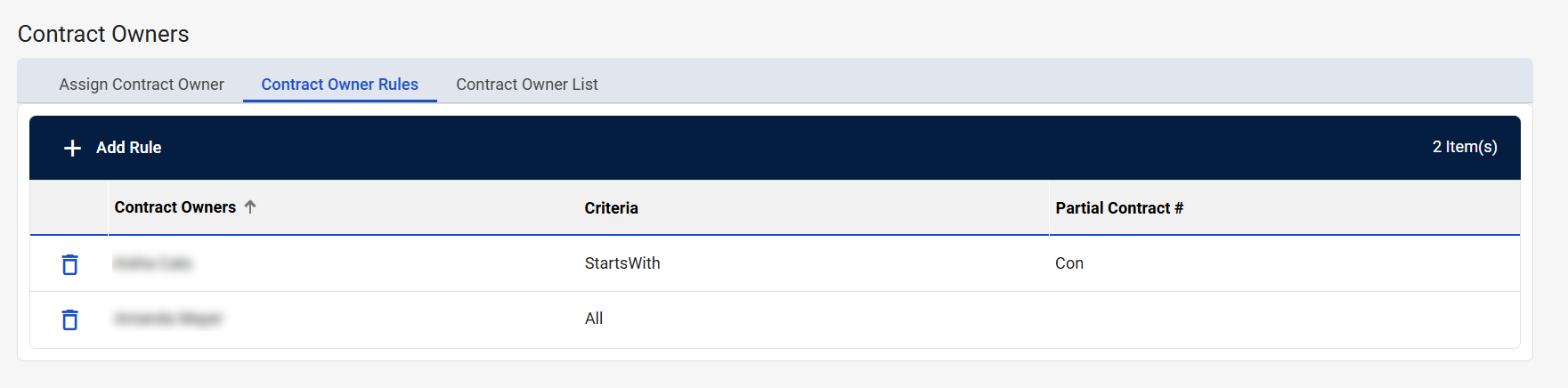
Contract Owner Rules is the second tab on the Contract Owners screen. You can create rules to assign contract owners to new contracts automatically based on specific criteria.
Examples:
-
Assign User A to all contract numbers that start with PP.
-
Assign User B to all contract numbers that contain Medline.
Navigation
This tab is located on the Contract Owners screen. To access this screen, navigate to Configuration > Contract Owners from the left-side navigation pane.
Field Descriptions
The following fields appear on the Contract Owner Rules tab.
|
Field |
Field Description |
|---|---|
|
+ Add Contract Owner |
Select to add a new contract owner. The Add Contract Owner window appears. To add a new contract owner:
|
|
# Item(s) |
Displays the number of contract owner rules listed in the table. |
|
Delete |
Select to delete the contract owner rule. |
|
Contract Owners |
Displays the name of the contract owner. |
|
Criteria |
Displays the contract owner rule. |
|
Partial Contract # |
Displays the partial contract number associated with the rule. |