Edit Contract Details
To edit general contract details:
-
Search for and select the contract you want to edit. Refer to Search for a Contract for more information.
-
Select the Contract Details tab.
-
Select Edit Contract Details.
Note: If there is no existing information to edit, the button will be called Add Contract Details instead of Edit Contract Details.
-
Edit contract details as necessary.
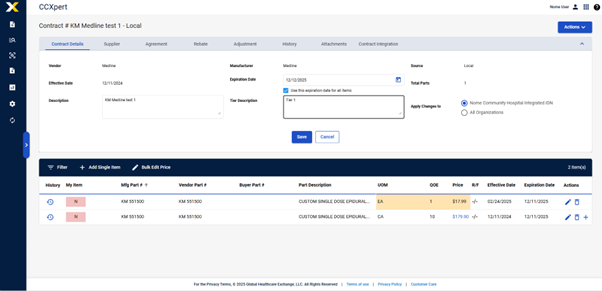
-
Select Save.