Filter Contract Items
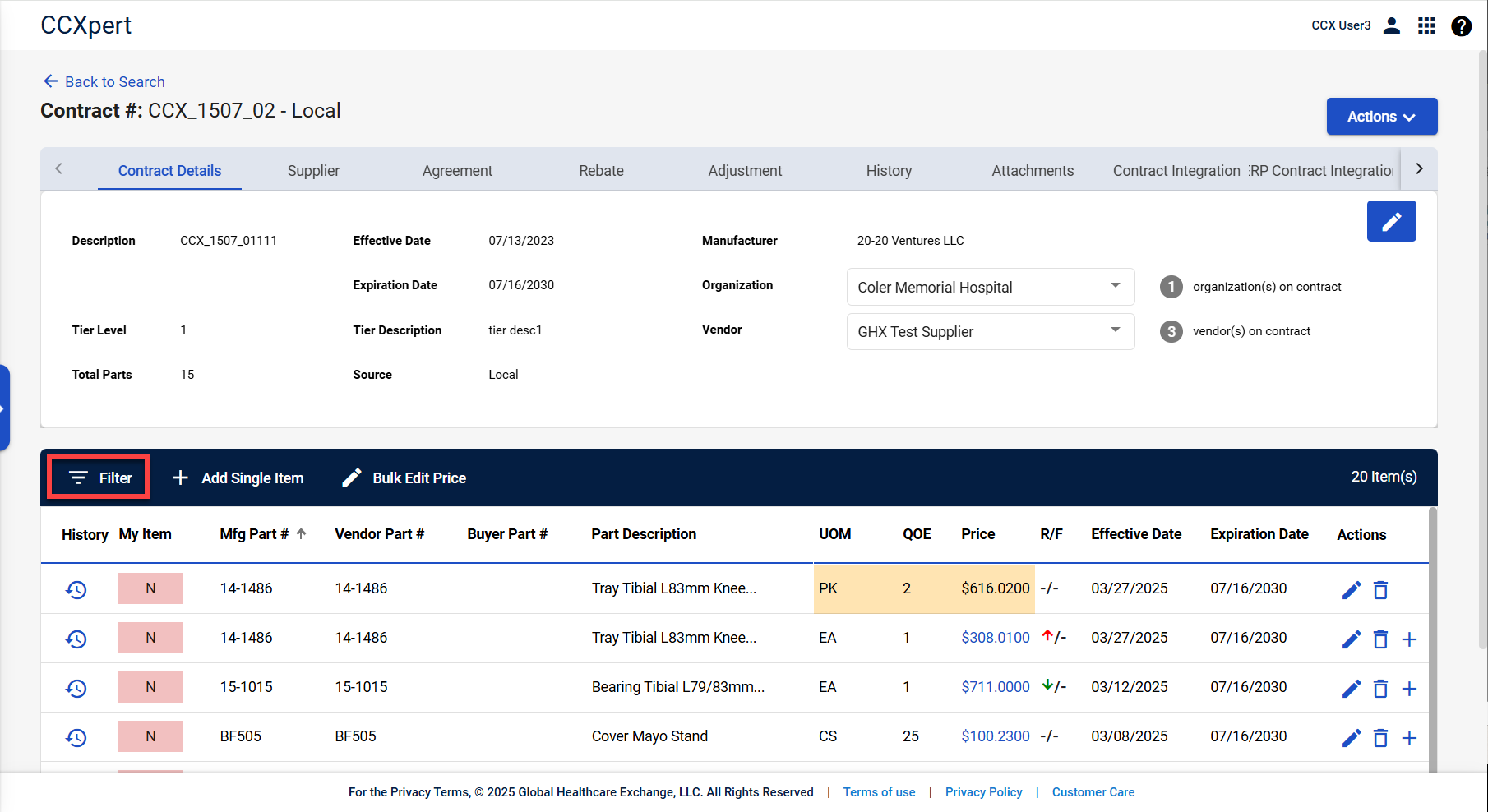
Note: If items are currently being filtered, the Filter button is yellow.
To add filter items on a contract:
-
Search for and select the contract. Refer to Search for a Contract for more information.
-
Select Filter.

-
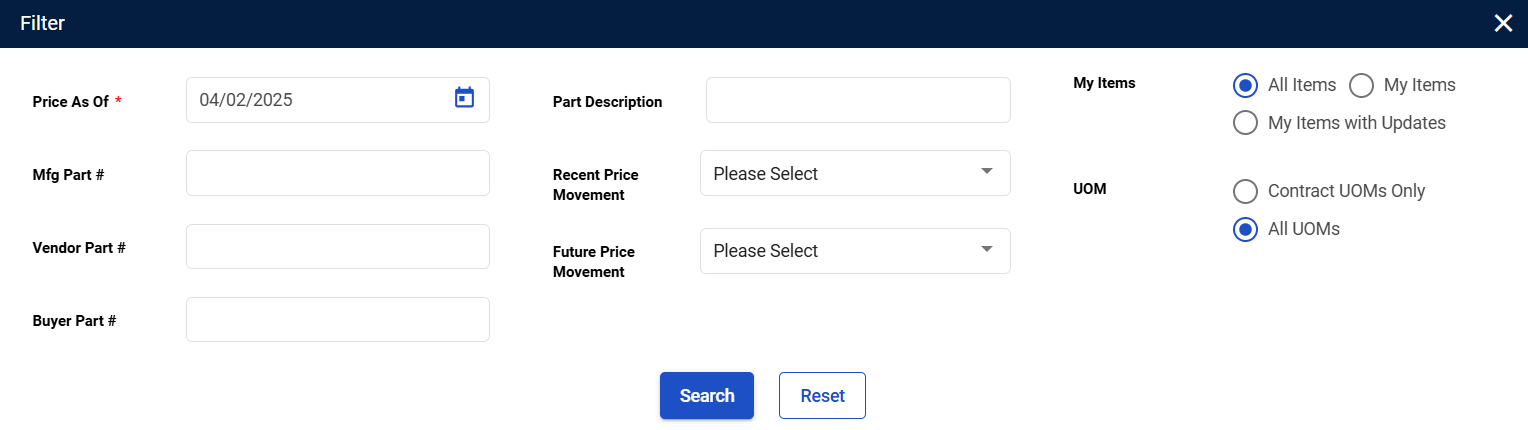
The Filter window appears. Enter your search/filter criteria.
-
Select Search. The items are filtered by your filter/search criteria.