Price Validation Hierarchy Tab
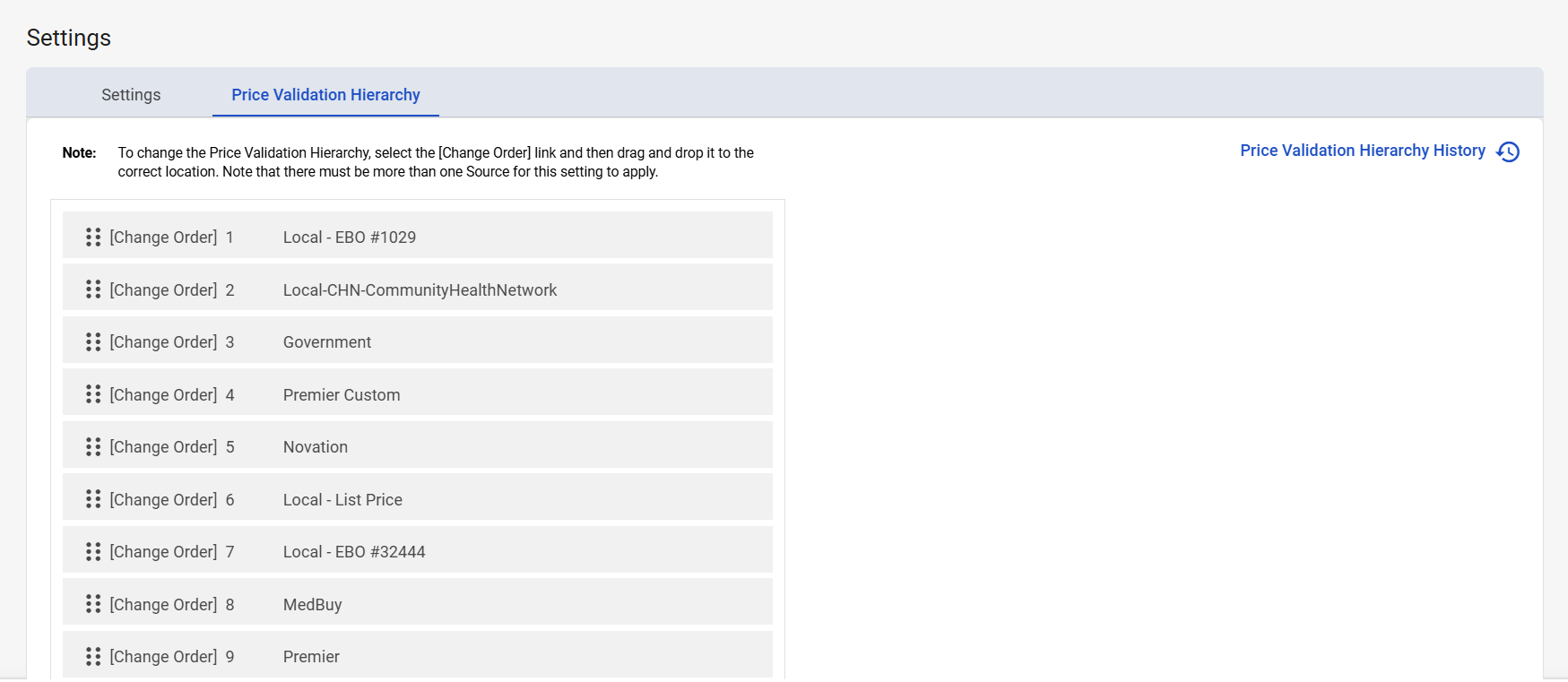
When an item is listed on more than one contract, the Price Validation Hierarchy determines which contract is used for price validation through the Exchange. You can rank the contract sources in the order you want price validation applied.
Navigation
This tab is located on the Settings screen. To access this screen, navigate to Configuration > Settings from the left-side navigation pane.
Prerequisites
Only users with the Admin user role can access this tab.
Field Descriptions
The following fields appear on the Price Validation Hierarchy tab.
|
Field |
Field Description |
|---|---|
|
Price Validation Hierarchy History |
Select to open the Price Validation Hierarchy History window. This window lists all previous Price Validation Hierarchies.
|
|
# Item(s) |
Displays the number of historical hierarchies listed in the table. |
|
Price Validation Hierarchy list |
Displays the Price Validation Hierarchy. To change the hierarchy, select and drag a price validation to a new location in the hierarchy. |