IM Error Report View
During validation, the system checks each error sequentially. If an error is found, it will be recorded in the error message.
Data included: Full
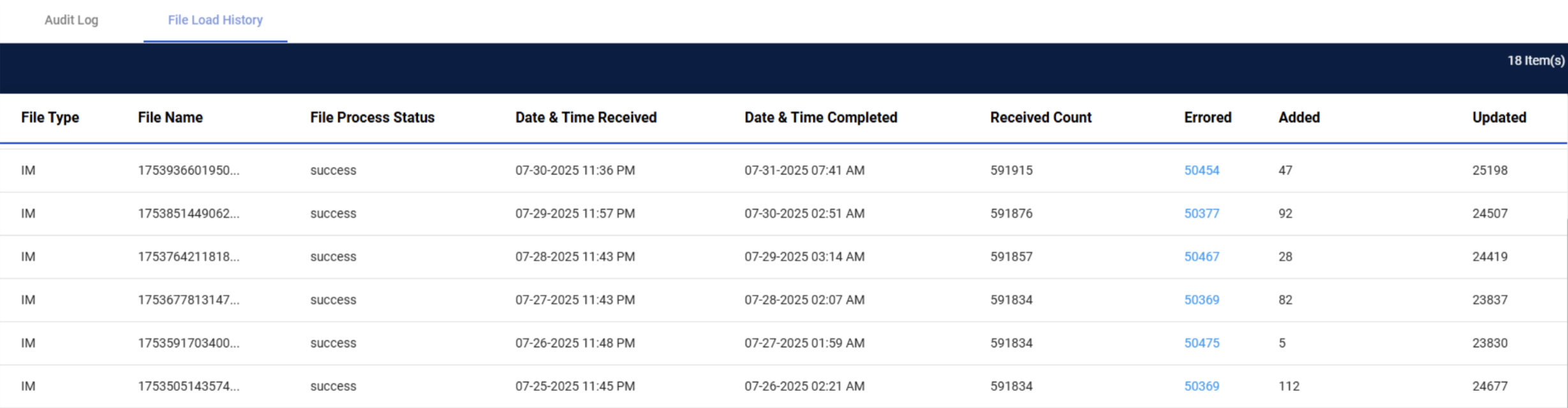
Select the hyperlink in the Errored column.
| Feature | Details |
|---|---|
| Error Column | Hyperlink that triggers an export job |
| Export Format | Excel (.xlsx) |
| Export Content | All raw |
| Multiple Errors | One line per error per item (item will repeat) |
| Error Messages Format | e.g. Invalid data type Duplicate records in [Column Name] |
| Download | Export runs asynchronously and completes in background downloads |
| File Name Pattern |
|
| Example |
|
IM Error Message
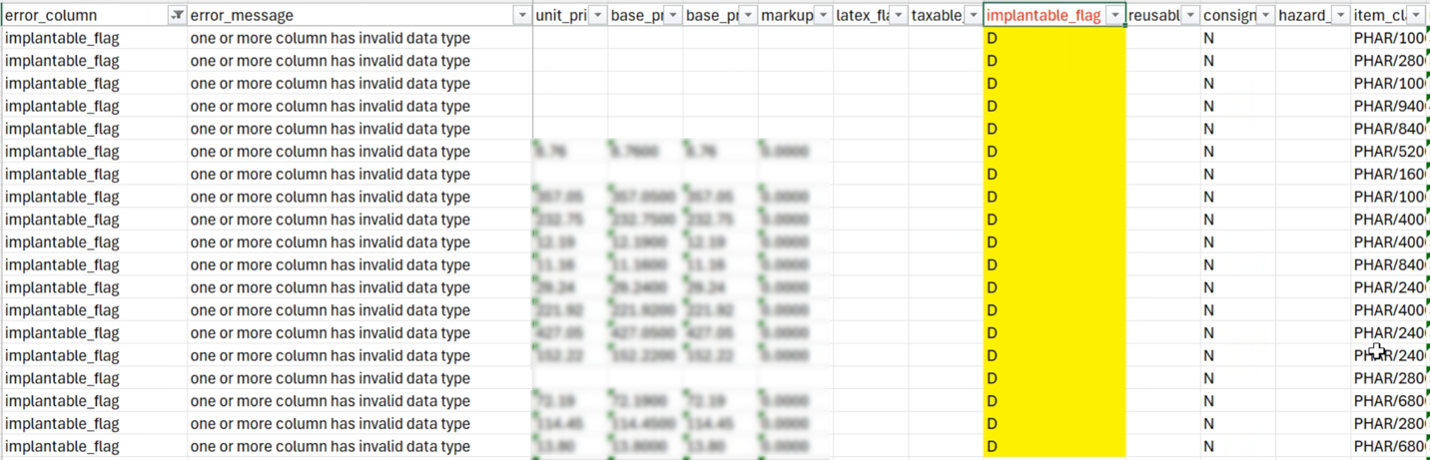
Check the error_column to identify which field has a problem. Review the error_message column to understand the issue. Locate the column with the same name as the field mentioned in the error_column. Review the IM Error Types table below to identify possible solutions to solve for the error. Update your item master file, then re-upload the file.
Reach out to GHX Support if you are unsure how to solve the error.
IM Error Types
| Error Type | Description |
|---|---|
| one or more primary key column is empty |
Buyer Part Number, Facility ID, and Seller ID* are required. IM Mandatory Fields are listed below. *Seller ID and Vendor Code are interchangeable. |
| duplicate row |
When there are two exact records of an item in an item master, GHX will keep one of the records.
Reach out to GHX Support if you encounter this error and believe it is incorrect. |
| facility not configured on DC | GHX configuration is required. |
| purchase_uom is empty | Purchase UOM is required. |
| Multiple IM Identifiers found in extract | When the Facility ID does not align with the GHX configured Facility ID. |
| one or more column has invalid data type |
Refer to the error column to identify invalid data type. Update your ERP system with the valid data type.
Reach out to GHX support if you are unsure of the valid data type. |
|
Multiple Manufacturers for same buyer_part_number (Multiple GMIK/GSIK for the same buyer_part_number) |
Requires a 1:1 relationship between Buyer Part Number and Manufacturer Name/Part Number.
If this error is unintentional, then verify in your ERP system that you have a 1:1 relationship between Buyer Part Number and Manufacturer Name/Part Number. You may need to resolve the multiple Manufacturer Name/Part Number.
Reach out to GHX Support if:
|
|
Multiple provider description values for same item |
Requires a 1:1 relationship between Buyer Part Number and Description fields. |
| Values more than the Defined Length |
Character limit has exceeded the Defined Length. The Defined Character Length for IM is listed below.
|
|
CDP__Valid_flag is false |
Common Data Platform preprocessing data validation failed. Reason to be determined. |
| Non US master item |
Matched a Non US GHX Master Catalog Vendor.
Reach out to GHX support if this error occurs. |
Defined Character Length for IM
Each field has a Defined Character Length that must not be exceeded.
| Field Name | Defined Character Length |
|---|---|
|
IDN EID, UNSPSC Code |
< 10 |
| Facility ID, Item Status, Vendor Sequence, HCPCS Code, Revenue Code, Charge Code, Provider Primary DI UOM, Provider UOM 1, Provider UOM 2, Provider UOM 3, Provider UOM 4, Provider UOM 5, Purchase UOM, Provider Item Master Item Status, Issue UOM, Issue QOE | < 50 |
|
Item Classification Code |
<100 |
| GL Code, Contract Number | <250 |
|
Provider Primary DI, Provider Unit of Use DI, Provider UOM 1 DI, Provider UOM 2 DI, Provider UOM 3 DI, Provider UOM 4 DI, Provider UOM 5 DI, Packaging String |
<255 |
| Buyer Part Number, Manufacturer Part Number, Manufacturer Name, Manufacturer ID, Seller Part Number, Seller Name | < 2,000 |
IM Mandatory Fields
-
buyer_part_number
-
facility_id (single facility id)
-
seller_id (vendor_id)
Duplicate Records
Duplicate
Retention and Cleanup (Error Records)
Retention Period: 6 months
Cleanup: Scheduled API monthly clean up job autodeletes old records based on creation timestamp.