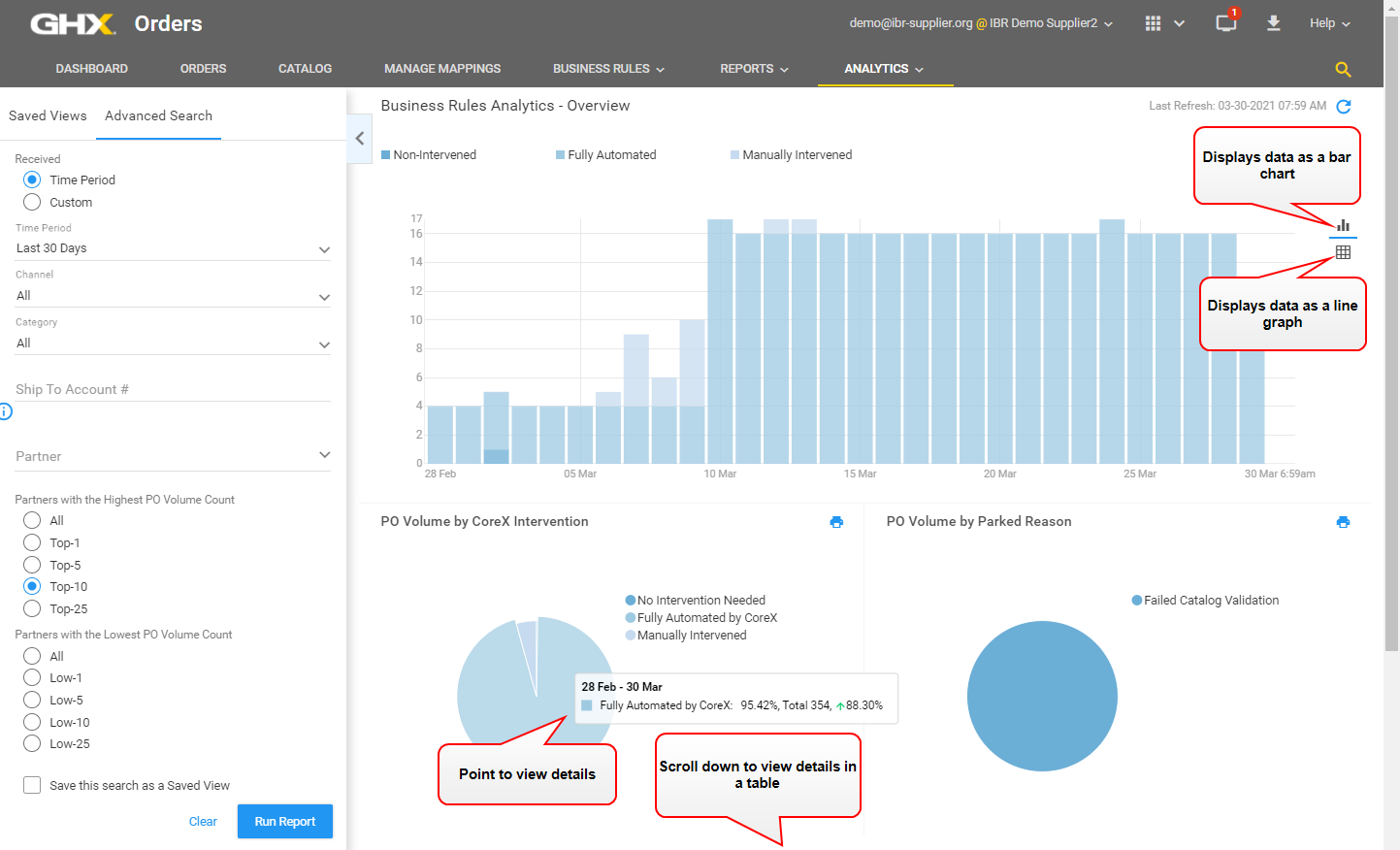
Business Rules Analytics Overview
Use this page to view analytics data related to how business rules resolved PO issues. For intervened POs, the analytic provides visibility to order volumes affected by parked reasons, whether they are by failed catalog validation or by specific validation rules.
| Column | Description |
|---|---|
| Partner Name | Contains the trading partner name. |
| Total PO Count | Contains the total number of POs for the selected time period. |
| Fully Automated PO Count | Contains the number of POs that were corrected through automation. |
| Fully Automated PO Trend, % | Contains the trend of the number in the Fully Automated PO Count column compared to the prior trend equivalent for the selected time period. |
|
Manually Intervened PO Count |
Contains the number of parked POs that were corrected using the Release PO, Force Release PO, Stop PO, and Reject PO actions on the Manage Purchase Order dialog box. |
| Manually Intervened PO Trend, % | Contains the trend of the number in the Manually Intervened PO Count column compared to the prior trend equivalent for the selected time period. |
|
PO Volume By Parked Reason |
Contains the PO volume across the following parked reasons:
|