Send Email and Address Book Integration
Address Book is integrated with the Send Email functionality. When you select a record in Orders, Transactions, or Invoices and click the email icon, one of two things happens:
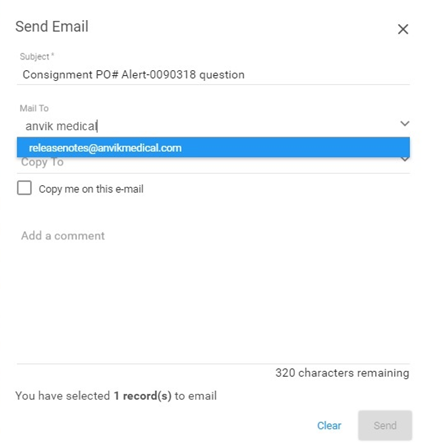
 When an Address Book entry exists:
- GHX looks up and provides a select list of the top five matches based on the email address, first name, last name, and organization name that are in the Mail and Copy fields
- Select the email address from the results to add to the Mail or Copy fields
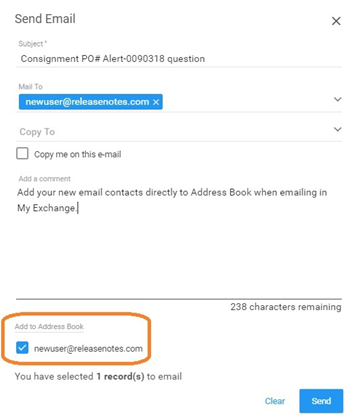
When an email entry is not found in the Address Book and the address is properly formatted:
The system populates the address in the Add to Address Book list on the Send Email dialog box.
-
Select the checkbox next to entries you would like to add to your Address Book.
-
Click Send to add the email address as a new Address Book entry.
Note: You can add multiple email addresses to the Address Book through Send Email functionality.
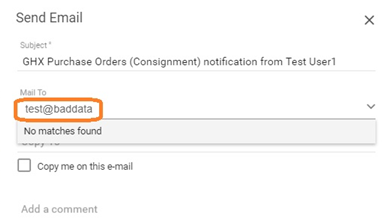
The application validates the Send Email fields to prevent bad entries like the one in the following image.