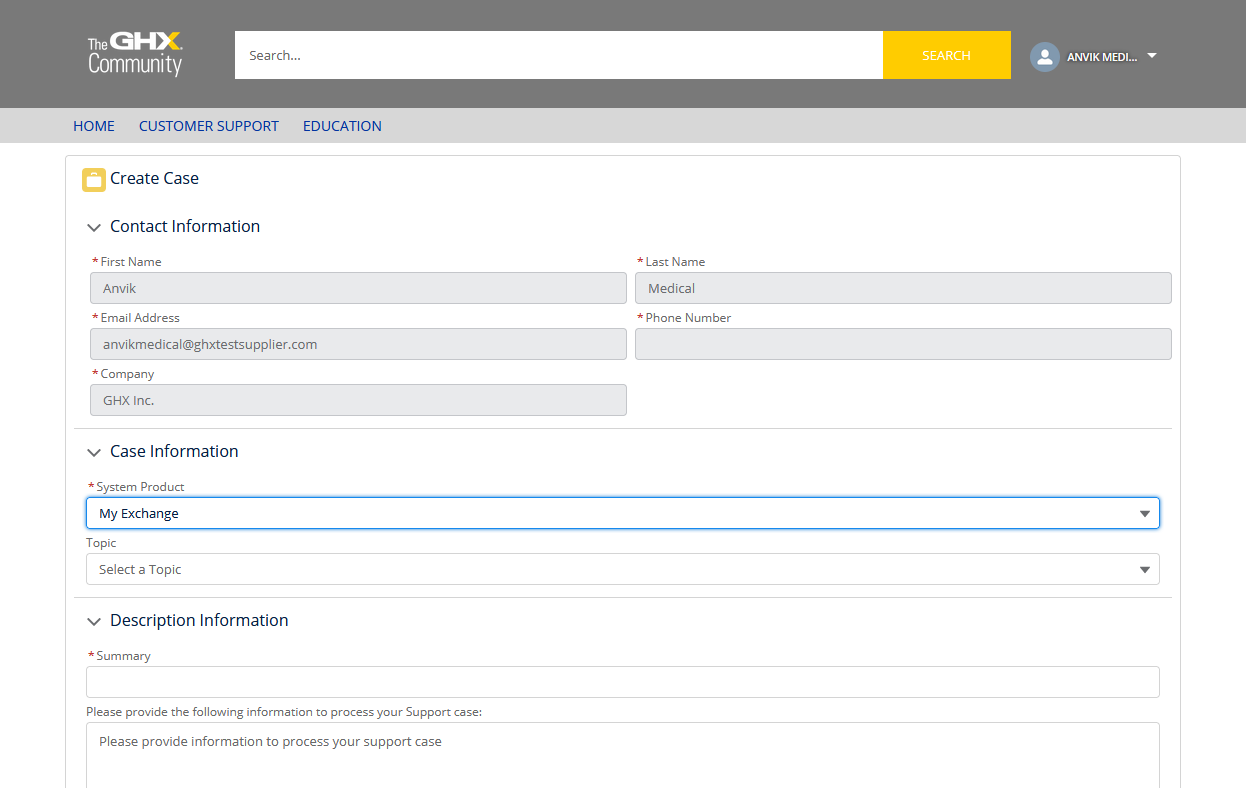
Create a Case
For users in the North American market, there may be times when you need to notify GHX of a system issue. You can do this by creating a support case.
- Click the Create Case link in the application footer. The GHX Community log in page opens.
Tip: Alternatively, you can click Help and select Create Case Form to open the form.
- Type your user name and password.
- Click Customer Support > Create Case. The Create Case form opens.

- Click the System Product list and select My Exchange.
- Complete the required fields and click Create Case. The system creates a case and routes it to a GHX Customer Care representative.