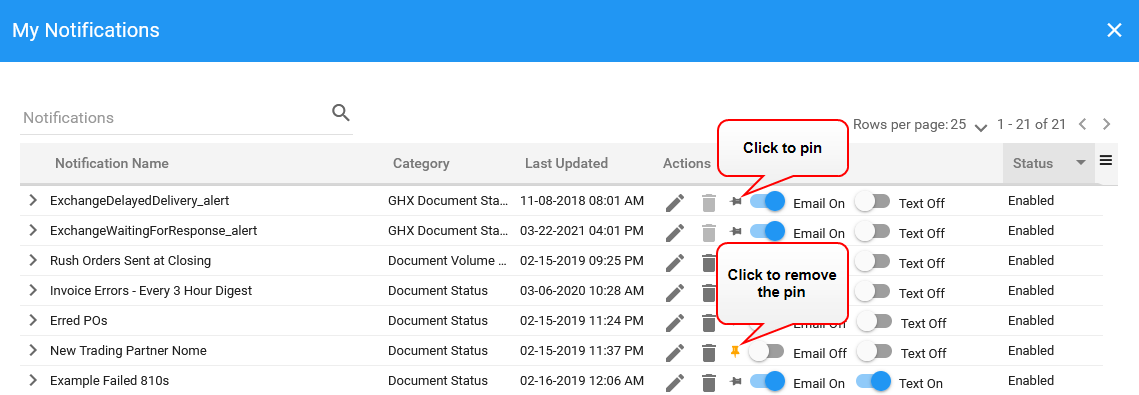
Pin Notifications to the Dashboard
Pinned notifications are included in the lists on the Dashboard page.
Tip: When you add a new notification, Notifications automatically pins it to the My Notifications Dashboard.
- Click Dashboard.
- Scroll down to the My Notifications table.
- Click Show All Notification Subscriptions. The My Notifications dialog box opens.
- Locate the notification and click the
 icon. The application pins the notification to the Dashboard and changes the icon color to
  .
.