Edit Vendor Codes
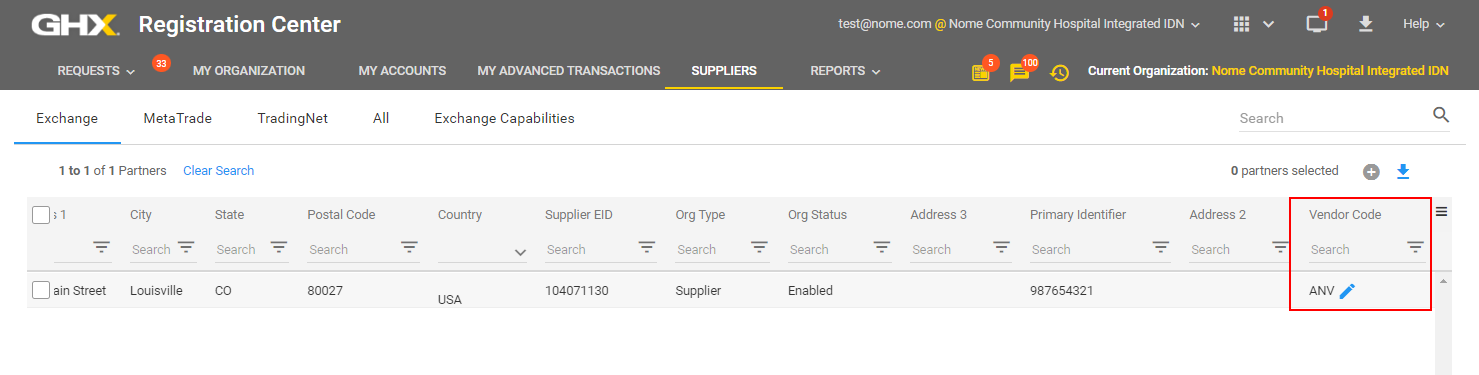
- Click Suppliers.
- Scroll to the right to locate the Vendor Code column.
Tip: If you do not see that column, click the Column Selections
 icon and select Vendor Codes to add that column to the view.
 - Search for the supplier or vendor code.
- Hover on the Vendor Code column and click the pencil
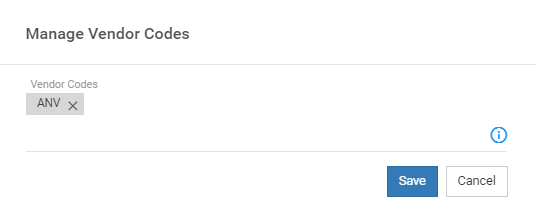
 icon. The Manage Vendor Codes dialog box opens.
- Click the X to delete a code or type a new vendor code and click the checkmark
 icon to add a new code.
 - Click Save.