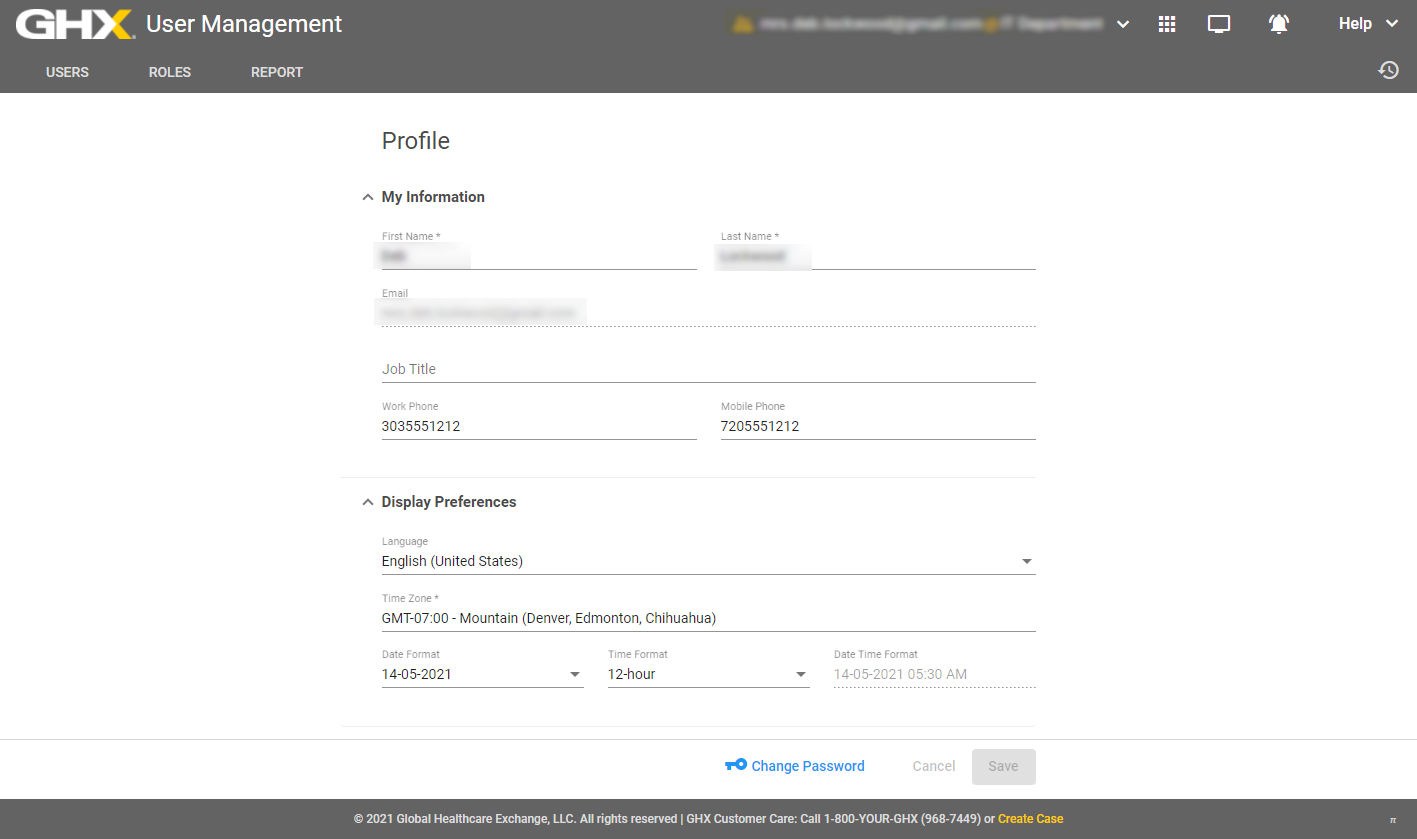
Edit Your Profile
You can modify certain information in your profile and display preferences (for example, phone numbers and time zones).
- Click your user name. A list of options opens.
- Select Profile. The Profile page opens.

- Modify the information in the My Information area, as needed.
Note: Because your email address is also your unique user ID, you cannot change your email address.
- Modify the information in the Display Preferences area, including the following:
- Language – Select a language
Time Zone – Options are Greenwich Mean Time (GMT) zones
Date Format – Options are MM-DD-YYYY, DD-MM-YYYY, and YYYY-MM-DD
Time Format – Options are 24-hour and 12-hour
Date Time Format – Shows the results of the selected date and time formats
Note: Display Preferences settings are specific to your user ID.
- Click Save.