Use Quick Clicks
-
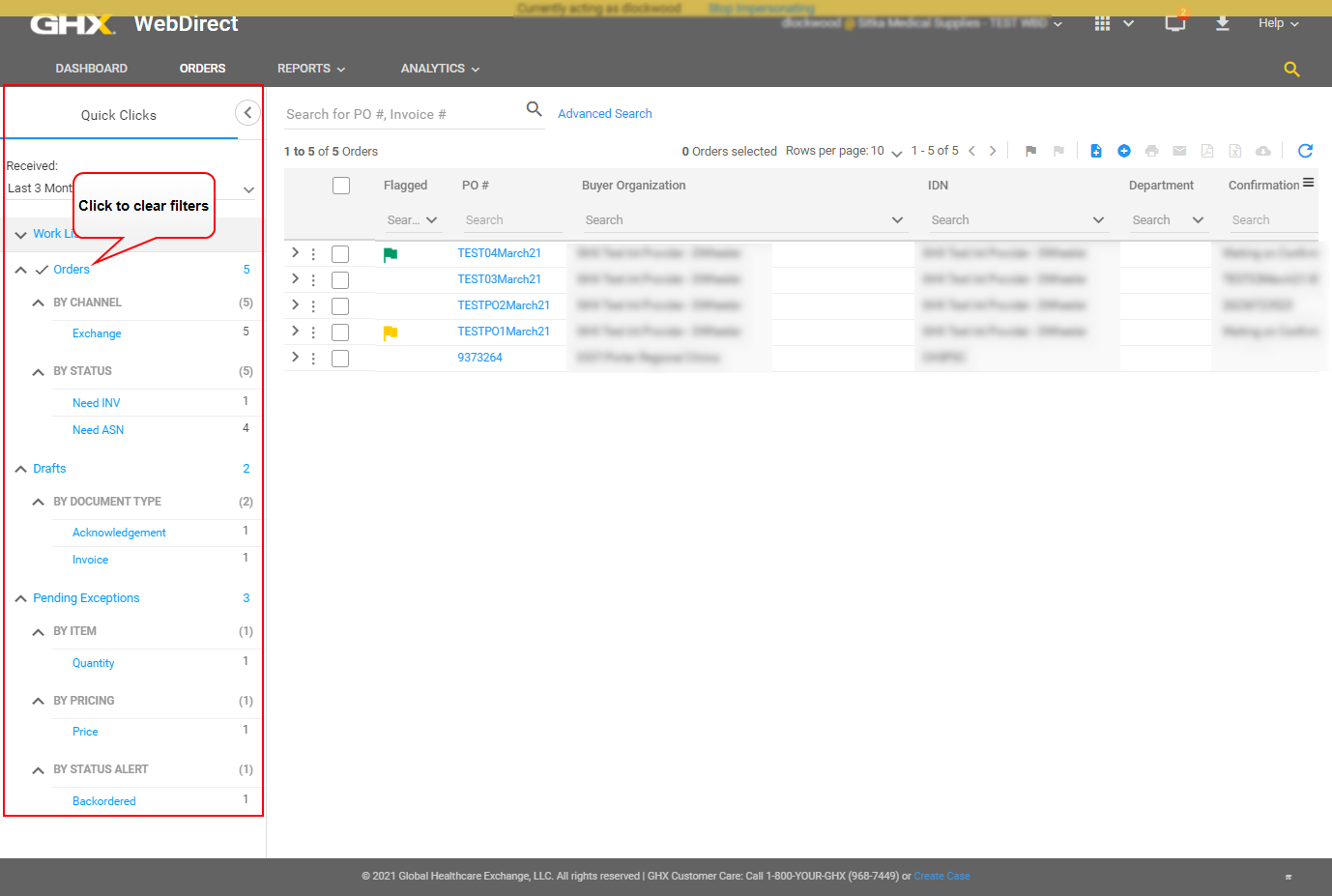
Click Orders. The Quick Clicks tab opens.
-
Define your filter criteria.
 Options are:
-
Work Lists
-
Orders
-
By Channel
-
By Status
-
-
Drafts
-
By Document Type
-
-
Pending Exceptions
-
By Item
-
By Pricing
-
By Status Alert
-
Tip: Click Orders to clear the filters.
-
-
Click the
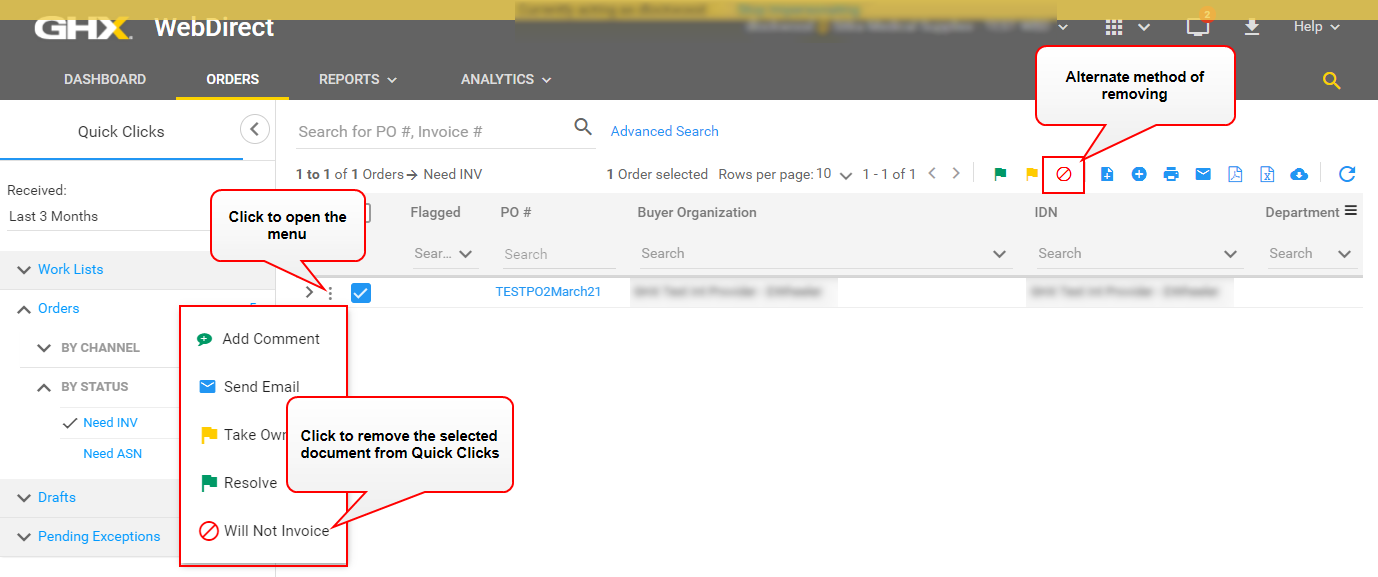
 icon in the Quick Click results in the right pane to open the PO shortcut menu or select a line and click an icon in the Action menu.
Tip: To remove a PO from the Quick Clicks lists, click the
icon and select the Will Not option. An example of a PO needing an invoice follows.