View Invoice Details
- Click Invoices. The Invoices page opens.
- Search for invoices using Advanced Search or Quick Clicks.
- Click the
 icon to the left of an invoice to open a list of document details.
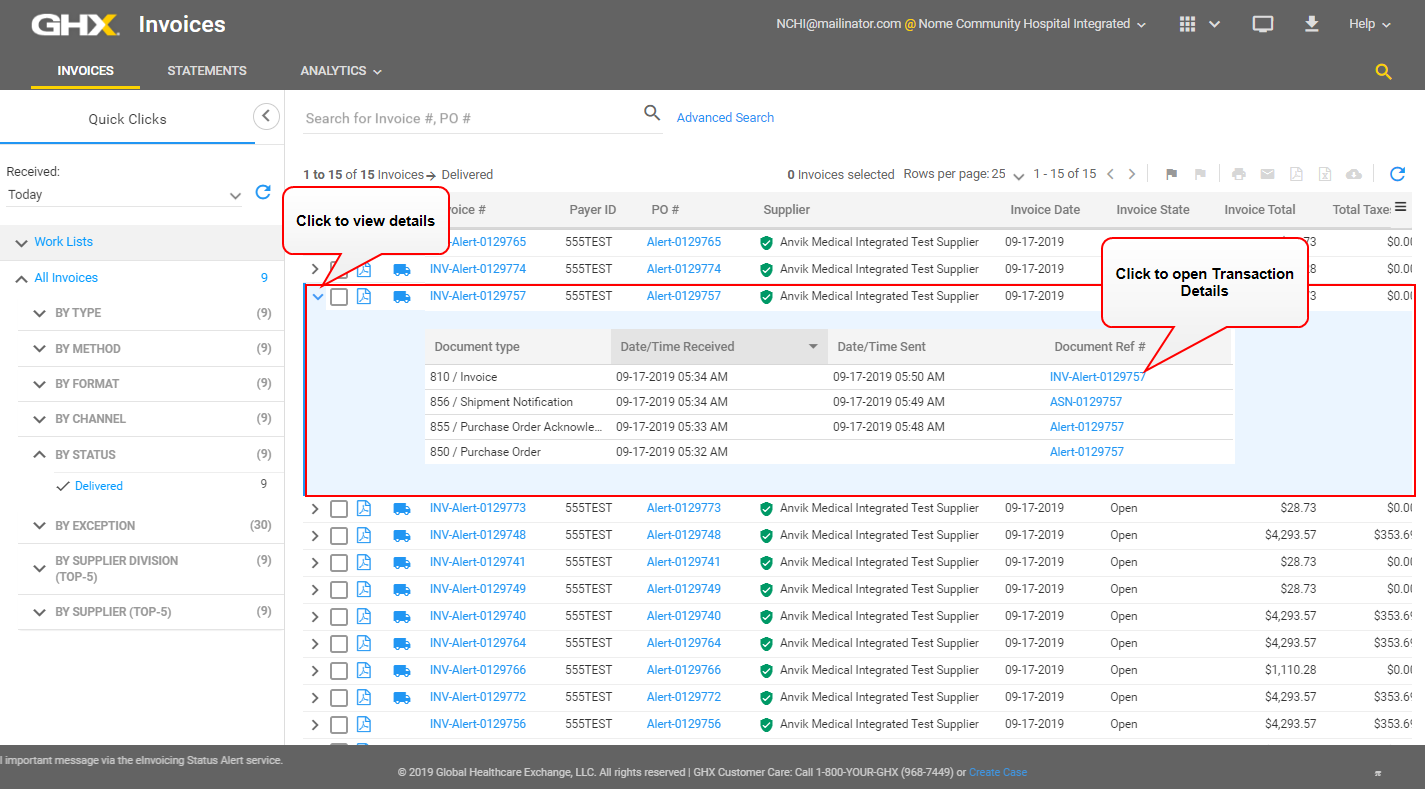
- Click a link in the Document Ref # column (optional). The Transaction Details dialog box opens.
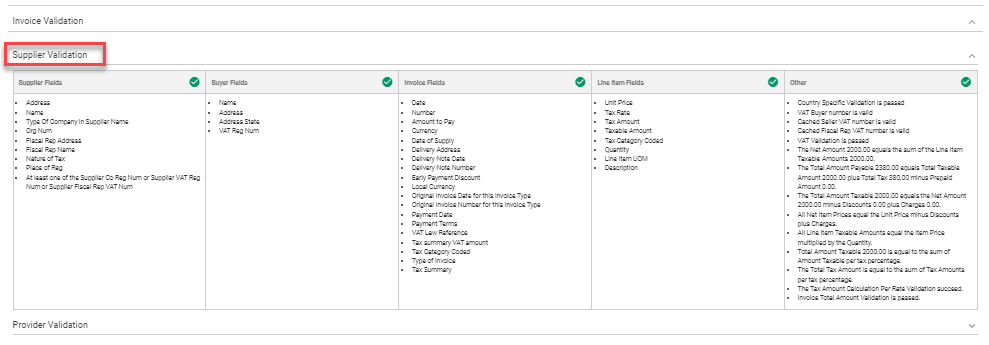
- Scroll down to view information in the Validation area.
Note: When enabled, the compliant invoice view contains received, sent, and compliant information about this document that was received in the GHX Exchange through EDI.
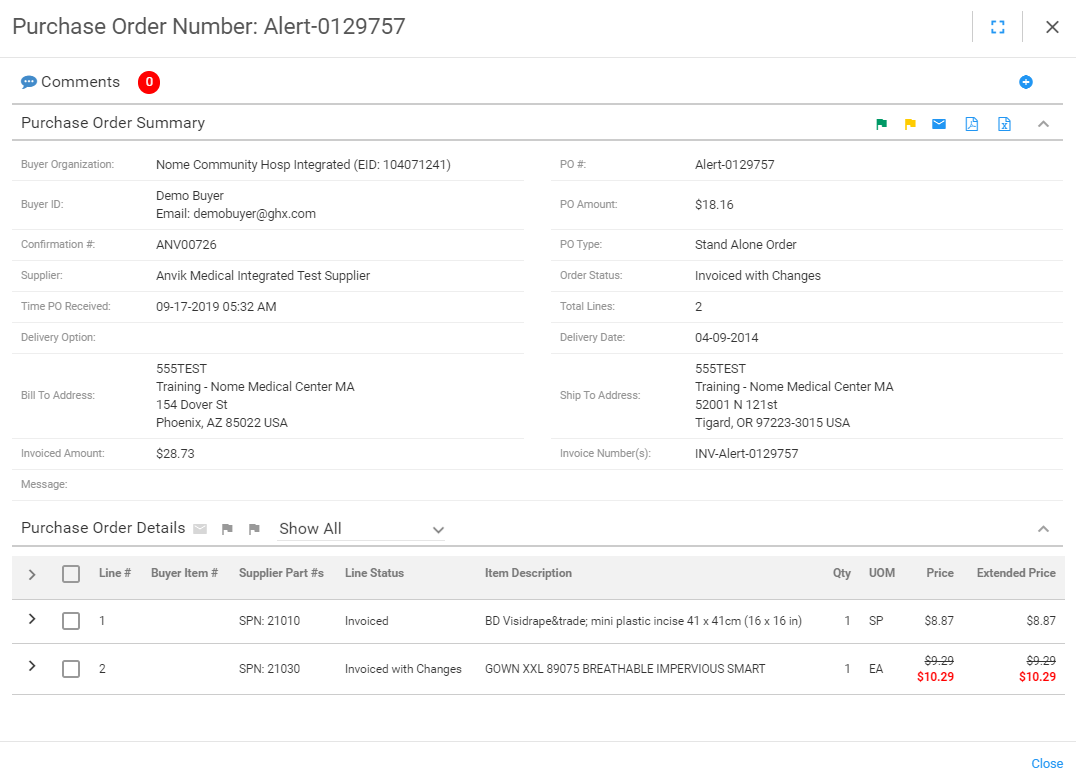
- Scroll up and click the link in the PO # field to view purchase order details (optional). The Purchase Order Number dialog box opens.
- View the document details. These details can include the following documents: PO, POA, ASN, and invoice acknowledgements. The invoice acknowledgments include details about how the invoice has been processed, delivered to the trading partner, or delivered to the public access point.
- Close the Purchase Order and Transaction Details dialog boxes to return to the Invoices page.
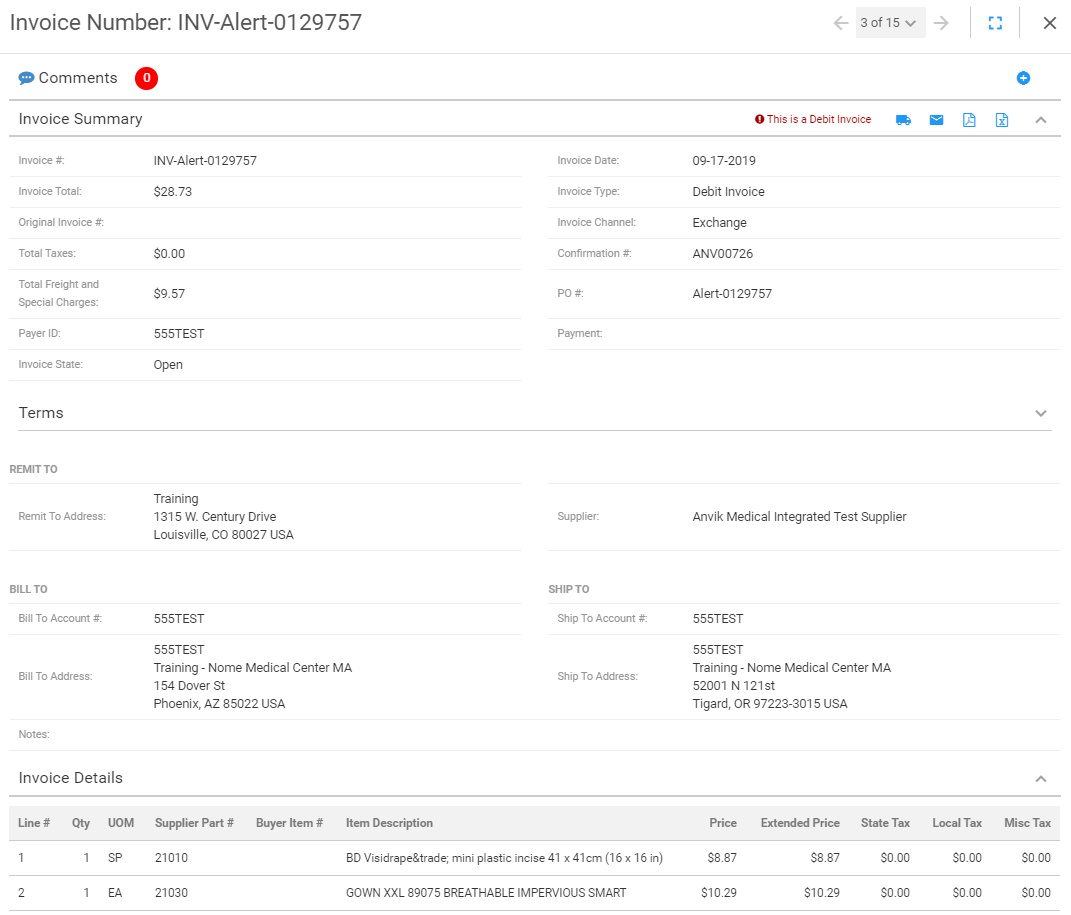
- Click a link in the Invoice # column on the search results page to view invoice details. The Invoice Number dialog box opens.
 Invoice details include:
Section Description Comments Add comments or view comments that have already been added. Invoice Summary Contains high-level information about the invoice. Terms Lists invoice information such as the early payment terms discount amount and due dates. Invoice Details Lists the invoice lines and their details. Line Level Tax and Special Charges Summary Contains amounts and descriptions of tax and other charges and allowances. Invoice Validation Displays validation details about this electronic invoice.
Example: When a German organization selects the Leitweg-ID validation flag and a Leitweg-ID is present in the invoice file, the invoice will pass validation.
Archive and Signing
Contains the date when the invoice was signed and archived; click the link to download the archived invoice (used in the European market) (optional).