Apply Surcharge
Surcharges (for example a freight charge) are applied as a dollar amount added to the base item price (prior to any adjustments.)
To apply a surcharge:
-
Search for and select the contract with the item you want to apply a surcharge to. Refer to Search for a Contract for more information.
-
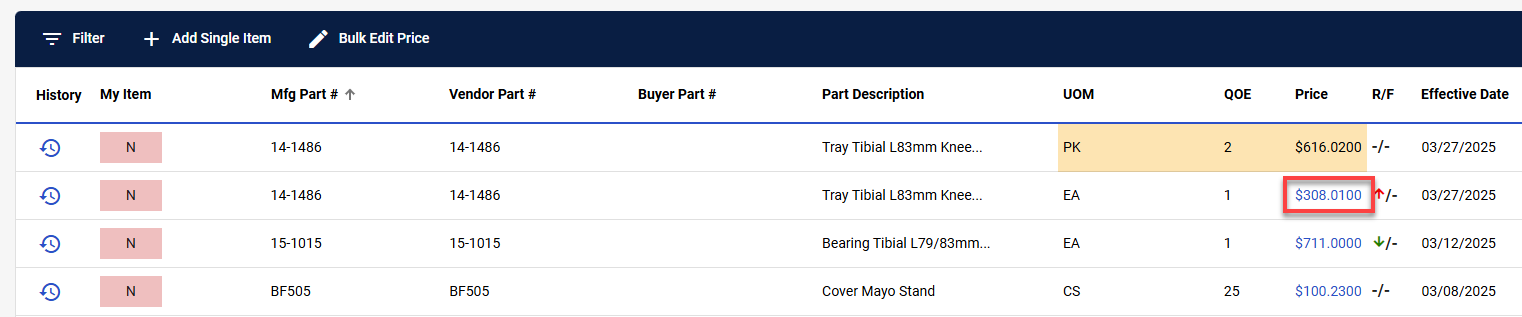
Select the item Price for the item you want to apply a surcharge to.
-
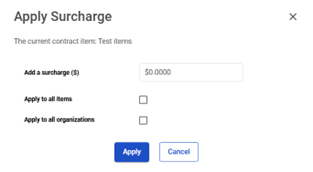
The Apply Surcharge window appears.
-
Indicate the surcharge in the Add a surcharge ($) field.
-
Indicate whether the supply charge should Apply to all items or Apply to all organizations.
-
Select Apply to apply the surcharge or select Cancel to cancel the surcharge edits.