Edit Item/SUOM Item
If, in the course of managing a local contract, you want to edit a single item, rather than upload the revised spreadsheet, you can edit a single item on a contract.
Note: To edit items in bulk, refer to Bulk Upload/Edit Items.
Note: SUOM items are highlighted in yellow.
To edit an single item/SUOM item on a contract:
-
Search for and select the contract with the item you want to edit. Refer to Search for a Contract for more information.
-
Locate the item you want to edit and select Edit Item or Edit SUOM Item.
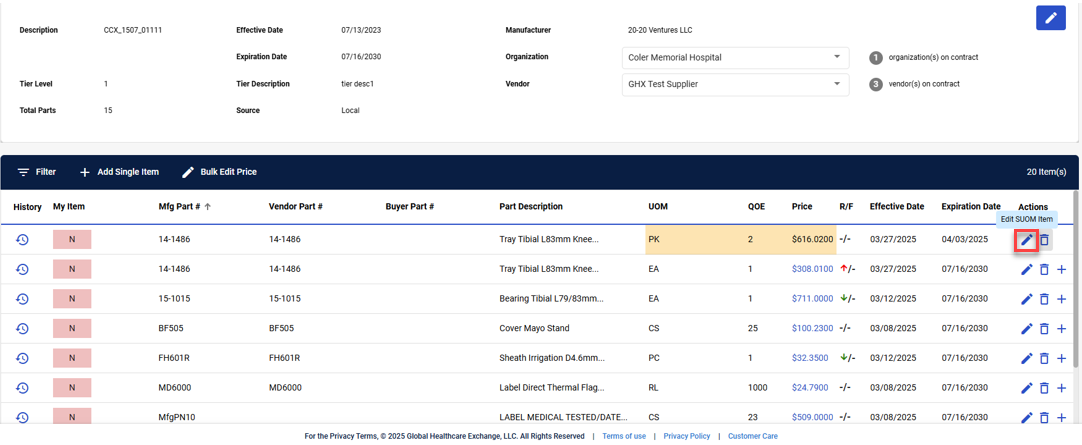
-
Edit the item details as needed.
-
Select
 to save the changes or select
  to cancel the item edits..